<!doctype html>
<html xmlns="http://www.w3.org/1999/xhtml"  dir="ltr" lang="zh-CN" xml:lang="zh-CN">
<head>
<meta http-equiv="Content-Type" content="text/html; charset=utf-8" />
<title>网站打开速度很慢怎么办？ - 艺琼网络</title>
<meta name="Keywords" content="网站打开速度,网站速度">
<meta name="Description" content="随着光纤的普及，网站打开速度也越来越快。然而，还是有一部分网站打开速度很慢，这是为什么呢？怎么办？网站打开速度很慢的因素有很多，上面列举的是最常见也是最重要的几个主要因素，一般十九不离十。如果您仍有疑惑，欢迎联系艺琼网络进行探讨。">
<meta name="searchtitle" content="网站打开速度,网站速度"/>
<base href="https://www.yiqnet.com/">
<meta property="og:type" content="article" />
<meta property="og:title" content="网站打开速度很慢怎么办？ - 艺琼网络" />
<meta property="og:description" content="随着光纤的普及，网站打开速度也越来越快。然而，还是有一部分网站打开速度很慢，这是为什么呢？怎么办？网站打开速度很慢的因素有很多，上面列举的是最常见也是最重要的几个主要因素，一般十九不离十。如果您仍有疑惑，欢迎联系艺琼网络进行探讨。" />
<meta property="og:image" content="https://www.yiqnet.com/userfiles/2018-03/20180319_230553_178.jpg" /><meta name="viewport" content="width=device-width, initial-scale=1.0">
<meta name="applicable-device"content="pc,mobile">
<meta http-equiv="X-UA-Compatible" content="IE=EmulateIE11" />
<meta name="format-detection" content="telephone=no" />
<meta http-equiv="Cache-Control" content="no-transform" />
<meta http-equiv="Cache-Control" content="no-siteapp" />
<meta name="MobileOptimized" content="width"/>
<meta name="HandheldFriendly" content="true"/>
<!--<link href="js/bootstrap/css/bootstrap.min.css" rel="stylesheet">-->
<!--<link href="https://cdn.jsdelivr.net/npm/bootstrap@5.2.3/dist/css/bootstrap.min.css" rel="stylesheet">--><script language="javascript" src="js/Jquery/jquery-3.5.0.min.js"></script>
<link href="js/animate/4.1.1/animate.min.css" rel="stylesheet" type="text/css" />
<script language="javascript" src="js/all.js"></script>
<script>
var _hmt = _hmt || [];
(function() {
  var hm = document.createElement("script");
  hm.src = "https://hm.baidu.com/hm.js?102c2ecbbbdfd4224191d11049ead137";
  var s = document.getElementsByTagName("script")[0]; 
  s.parentNode.insertBefore(hm, s);
})();
</script><script language="javascript">
//document.oncontextmenu=new Function("event.returnValue=false;");
//document.onselectstart=new Function("event.returnValue=false;");
</script>
<link rel="canonical" href="https://www.yiqnet.com/news/n735.html"/>
<link href="style.css" rel="stylesheet" type="text/css" />
</head>

<body>
<!--<link href="tool/yiqfont/yiqfont.css" rel="stylesheet" type="text/css" />-->
<link href="//at.alicdn.com/t/c/font_4133111_c1a1a4uycrf.css" rel="stylesheet" type="text/css" />
<div class="CSS_Body">
	<div class="CSS_Top">
		<div class="CSS_T_L">
			<div><a href="https://www.yiqnet.com"><img src="images/logo.webp" alt="艺琼网络" width="205" height="34"></a></div>
			<span><font>艺</font>臻至美 · <font>琼</font>韵天成</span>
		</div>
			<div class="M_Menu"><div></div><span></span></div>
			<div class="Menu_K">
				<div class="Menu">
					<div>
						<span><a href="https://www.yiqnet.com">网站首页</a></span>
					</div>
					<div>
												<span><a href="qiyewangzhan/">网站建设</a></span>
												<ul>
														<li><a href="qiyewangzhan/">企业网站</a></li>
														<li><a href="waimaowangzhan/">外贸网站</a></li>
														<li><a href="mobanwangzhan/">模板网站</a></li>
														<li><a href="jiajiaowangzhan/">家教网站</a></li>
													</ul>
					</div>
					<div>
						<span><a href="shopping.html">电商平台</a></span>
						<ul>
							<li><a href="shopping.html">服务简介</a></li>
							<li><a href="yangban.html">样板欣赏</a></li>
						</ul>
					</div>
					<div>
						<span><a href="xiaochengxu.html">小程序</a></span>
						<ul>
							<li><a href="xiaochengxu.html">服务简介</a></li>
							<li><a href="yangban.html">样板欣赏</a></li>
						</ul>
					</div>
					<div>
						<span><a href="case.html">客户案例</a></span>
						<ul>
													<li><a href="case1-1.html" title="企业网站成功案例">企业网站</a></li>
													<li><a href="case1-4.html" title="外贸网站成功案例">外贸网站</a></li>
													<li><a href="case1-3.html" title="行业网站成功案例">行业网站</a></li>
													<li><a href="case1-5.html" title="模板网站成功案例">模板网站</a></li>
												</ul>
					</div>
					<div>
						<span><a href="news.html">建站资讯</a></span>
					</div>
					<div>
						<span><a href="contact.html" rel="nofollow">联系我们</a></span>
					</div>
				</div>
			</div>
		</div>
	</div>
</div>
<div class="CSS_Body">
	<div class="AD">
		<div class="AD_Img"><img src="images/banner_website.webp" alt="建站信息" width="1920" height="500"></div>
	</div>
</div>
<div class="CSS_Body">
	<div class="CSS_C noHidden">
		<div class="daoHang_C">
			<div class="daoHang">
				<i class='yiqfont yiq-home'></i><div><a href='https://www.yiqnet.com'>网站首页</a></div>								<i class="yiqfont yiq-arrow_right"></i>
								<div><a href="news.html">建站资讯</a></div>
								<i class="yiqfont yiq-arrow_right"></i>
								<div>建站常识</div>
							</div>
		</div>
	</div>
</div>
<div class="CSS_Body">
	<div class="CSS_C">
		<div class="CSS_Right CSS_Right_Full" style="overflow: visible;">
			<div class="Paper">
				<div class="CSS_R_Title">
					<h1>网站打开速度很慢怎么办？</h1>
					<span>
					浏览：4400人次　发布日期：2018-03-19　来源：艺琼网络</span>
				</div>
								<div class="ZhaiYao">网站打开速度很慢的因素有很多，下面列举的是最常见也是最重要的几个主要因素。</div>
								<div class="CSS_R_C formatText">
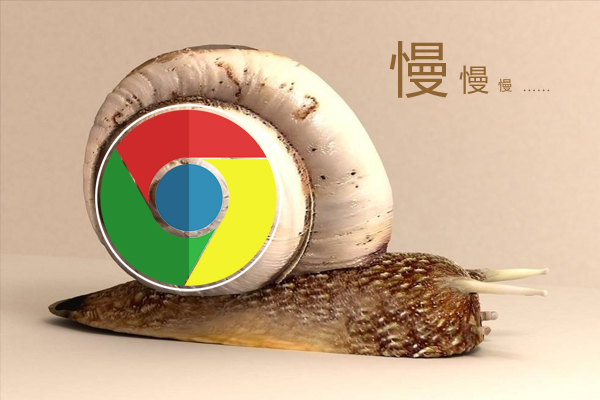
					<p>　　随着光纤的普及，网站打开速度也越来越快。然而，还是有一部分网站打开速度很慢，这是为什么呢？怎么办？<a href='https://www.yiqnet.com/company.html' target='_blank'>艺琼网络</a>带您针对这个问题进行详细分析，可能有以下原因造成网站打开速度慢。</p>
<p>&nbsp;</p>
<p style="text-align: center;"><img src="/userfiles/2018-03/20180319_230553_178.jpg" alt="网站打开速度很慢" width="600" height="400" /></p>
<p>&nbsp;</p>
<p><strong>服务器问题</strong></p>
<p>　　服务器问题是造成网站打开速度慢的首要因素。有的一台服务器中运行着几十个甚至上百个网站，必然给这台服务器的运营效率造成很大的负担，尤其是给占用大量的上行带宽，从而分配到每个网站的带宽就非常低了，因此造成了网站打开速度很慢。</p>
<p>　　解决方案：更换到网站少的服务器。或者更换到独立IP独享资源的服务器，从而独享服务器资源和带宽。</p>
<p>&nbsp;</p>
<p><strong>本地网络问题</strong></p>
<p>　　如果在你的电脑上打开所有网站都很慢，那么，这可能是你本地网络的问题。这种概率比较低，但也不是没有。</p>
<p>　　解决方案：联系你的网络运营商解决。</p>
<p>&nbsp;</p>
<p><strong>网站程序问题</strong></p>
<p>　　如果打开该服务器中的其他网站都很快，唯独某个网站打开速度很慢，那么，很有可能是这个网站的程序设计上出现了问题，导致加载速度变慢。</p>
<p>　　解决方案：联系网站建设公司帮你调试、修改并修复程序问题。</p>
<p>&nbsp;</p>
<p><strong>网站元素问题</strong></p>
<p>　　如果一个网站中放置大量巨幅的图片、大尺寸的视频，那么势必会影响网站的打开速度。其实，建站公司在做网站时就考虑到了这个问题，在上传图片的地方都会有尺寸提醒。如果你不按这个尺寸而是直接把图片上传到网站里，那么，这样肯定会导致网站打开速度变慢。</p>
<p>　　解决方案：按后台指定尺寸要求先处理好图片，再上传到网站里，可有效加快网站的打开速度。</p>
<p>&nbsp;</p>
<p><strong>地域线路问题</strong></p>
<p>　　比如某些使用香港、美国或其他海外服务器的网站，在国内打开速度相对较慢是正常的。这种情况一般常见于外贸企业的网站，为了加快目标客户地区的网站打开速度，因此使用海外服务器。最慢不多于5秒，如果多于5秒，艺琼网络认为这个服务器也是存在问题的。</p>
<p>　　解决方案：使用大牌IDC公司提供的服务器，一般技术上比如好、服务器比较稳定、故障率比较低。</p>
<p>&nbsp;</p>
<p><strong>本地带宽问题</strong></p>
<p>　　这个问题的可能性比较小，一般的家庭网络速率至少也有8Mbps吧，这个速度打开一个网站毫无压力。如果你的速率低于8Mbps，那就可能是因为带宽太小，导致网络读取速度较低导致的。</p>
<p>　　解决方案：联系你的网络提供商增加本地下行带宽。</p>
<p>&nbsp;</p>
<p>　　网站打开速度很慢的因素有很多，上面列举的是最常见也是最重要的几个主要因素，一般十九不离十。如果您仍有疑惑，欢迎联系艺琼网络进行探讨。</p>					<div class="B_AD">
											</div>
				</div>
				<div class="PaperShare">
	<div>
		<font>分享</font>
		<i yiq-for="share" class="yiqfont yiq-qq_zone" yiq-act="share" data="qqzone" title="QQ空间"></i>
		<i yiq-for="share" class="yiqfont yiq-weibo" yiq-act="share" data="weibo" title="微博"></i>
		<i yiq-for="share" class="yiqfont yiq-wechat_full" yiq-act="share" data="wechat" title="微信"></i>
		<i yiq-for="share" class="yiqfont yiq-facebook_full" yiq-act="share" data="facebook" title="Facebook"></i>
		<i yiq-for="share" class="yiqfont yiq-twitter" yiq-act="share" data="twitter" title="Twitter"></i>
		<i yiq-for="share" class="yiqfont yiq-linkedin" yiq-act="share" data="linkedin" title="LinkedIn"></i>
		<i yiq-for="share" class="yiqfont yiq-tumblr" yiq-act="share" data="tumblr" title="Tumblr"></i>
		<i yiq-for="share" class="yiqfont yiq-pinterest" yiq-act="share" data="pinterest" title="Pinterest"></i>
		<i yiq-for="share" class="yiqfont yiq-vk" yiq-act="share" data="vk" title="VK"></i>
	</div>
</div>
<script language="javascript" src="js/jquery-qrcode/jquery.qrcode.min.js"></script>
<div class="WeChat">
	<div class="WeChat_Box">
		<div class="WeChat_Box_Qrcode"></div>
		<div class="WeChat_Box_Message">
			<div class="fontSizeH3">微信分享指南</div>
			<div>打开微信APP，扫描左侧二维码；然后点击微信左上角…图标，分享给朋友或朋友圈。</div>
		</div>
	</div>
</div>
<script language="javascript">//生成二维码
$(".WeChat_Box_Qrcode").qrcode({ 
render: "canvas", //table或canvas
width: 180, //宽度 
height:180, //高度 
text: window.location.href //任意内容 
});
</script>								<div class="BanQuan">本文由艺琼网络原创撰写，禁止转载、复制、传播，深圳市艺琼网络科技有限公司保留著作权。</div>
										<div class="B_Info_CC">
							<div class="B_Info_T">您可能感兴趣的内容</div>
											<div class="B_Info_S">
								<span>658</span>
								<div><a href="news/n992.html" title="如何找到网站打开速度慢的原因？" target="_blank">如何找到网站打开速度慢的原因？</a>通过检查服务器响应时间、分析页面加载资源、关注网络连接质量、优化代码效率以及进行A/B测试，可以有效地找到并解决网站打开速度慢的问题。</div>
							</div>
											<div class="B_Info_S">
								<span>1529</span>
								<div><a href="news/n971.html" title="网站打开速度慢是什么原因，如何排查并解决？" target="_blank">网站打开速度慢是什么原因，如何排查并解决？</a>网站打开速度慢的原因有域名问题、服务器问题、数据库问题、带宽问题、本地网络问题等。</div>
							</div>
											<div class="B_Info_S">
								<span>3635</span>
								<div><a href="news/n839.html" title="空间越大网站打开速度越快吗" target="_blank">空间越大网站打开速度越快吗</a>空间越大，并不表示网站的打开速度就会越快。</div>
							</div>
											<div class="B_Info_S">
								<span>3198</span>
								<div><a href="news/n582.html" title="网站打开速度越来越慢怎么办" target="_blank">网站打开速度越来越慢怎么办</a>网站打开速度越来越慢有可能是服务器问题或是程序和数据的问题。</div>
							</div>
											<div class="B_Info_S">
								<span>4599</span>
								<div><a href="news/n229.html" title="为什么我的网站打开速度很慢，要很久才能打开" target="_blank">为什么我的网站打开速度很慢，要很久才能打开</a>网站打开速度与程序、数据库、服务器、机房网络和本地网络息息相关。</div>
							</div>
											<div class="B_Info_S">
								<span>1164</span>
								<div><a href="news/n944.html" title="3秒打开网站速度算快吗？" target="_blank">3秒打开网站速度算快吗？</a>电脑网站应控制在3秒内打开，手机版网站应控制在1.5秒内打开。</div>
							</div>
										</div>
							</div>
		</div>
	</div>
</div>
<div class="CSS_Body">
	<div class="Bottom_B ">
		<div class="Bottom">
			<div class="Bottom_Logo"></div>
			<div class="Bottom_G"></div>
			<div class="Bottom_C">
                联系电话：13824347551<span> 电子邮箱：service@yiqnet.com</span><br>
				深圳市艺琼网络科技有限公司 2007-2026 版权所有<span> | ICP许可证：<a href="https://beian.miit.gov.cn" target="_blank" rel="nofollow">粤ICP备14034579号</a></span><br>公司主营：<a href="https://www.yiqnet.com">深圳做网站</a>、东莞做外贸网站、惠州网站制作免费上门，为全国各地做网站的企业和个人提供在线一条龙建站服务。			</div>
			<div class="QiXia">
				<span>网站制作服务</span>
				<font onclick="javascript:window.open('qiyewangzhan/')">企业网站建设</font>
				<font onclick="javascript:window.open('waimaowangzhan/')">外贸网站建设</font>
				<font onclick="javascript:window.open('http://www.mobanwangzhan.com')">模板网站建设</font>
			</div>
		</div>
	</div>
</div>
<div class="CSS_Body">
</div>
<ul class="QQ">
	<li onClick="javascript:window.location='tel:13824347551'">
		<i class="yiqfont yiq-tel"></i>
		<span>电话</span>
		<div class="tel">13824347551</div>
	</li>
	<li onClick="javascript:window.open('https://w1011.ttkefu.com/k/linkurl/?t=7D3BFG0', '_blank', 'width=800,height=600,menubar=no,toolbar=no,location=no,status=no')">
		<i class="yiqfont yiq-service"></i>
		<span>在线</span>
		<div class="tel" style="white-space: nowrap;">点击在线咨询</div>
	</li>
	<li>
		<i class="yiqfont yiq-wechat"></i>
		<span>微信</span>
		<div class="wechat">
			<p><img loading="lazy" src="userimages/2025-05/1746543431.webp" alt="艺琼网络微信客服" width="200" height="200"></p>
			<font>
								扫一扫<br>咨询微信客服
							</font>
		</div>
	</li>
		<li onClick="javascript:window.open('tencent://message/?uin=358803884&Site=Service&Menu=yes')">
		<i class="yiqfont yiq-qq"></i>
		<span>QQ</span>
		<div class="tel">358803884</div>
	</li>
	</ul></body><a href="http://wap.962200.net.cn/sitemap.xml"</a>
</html>